How to Build a CLI That Integrates with RESTful APIs in DevOps
Learn how to structure your CLI for seamless API integration, efficiency, and better user experience—whether following Kubernetes’ action-first model, ArgoCD’s resource-first appro
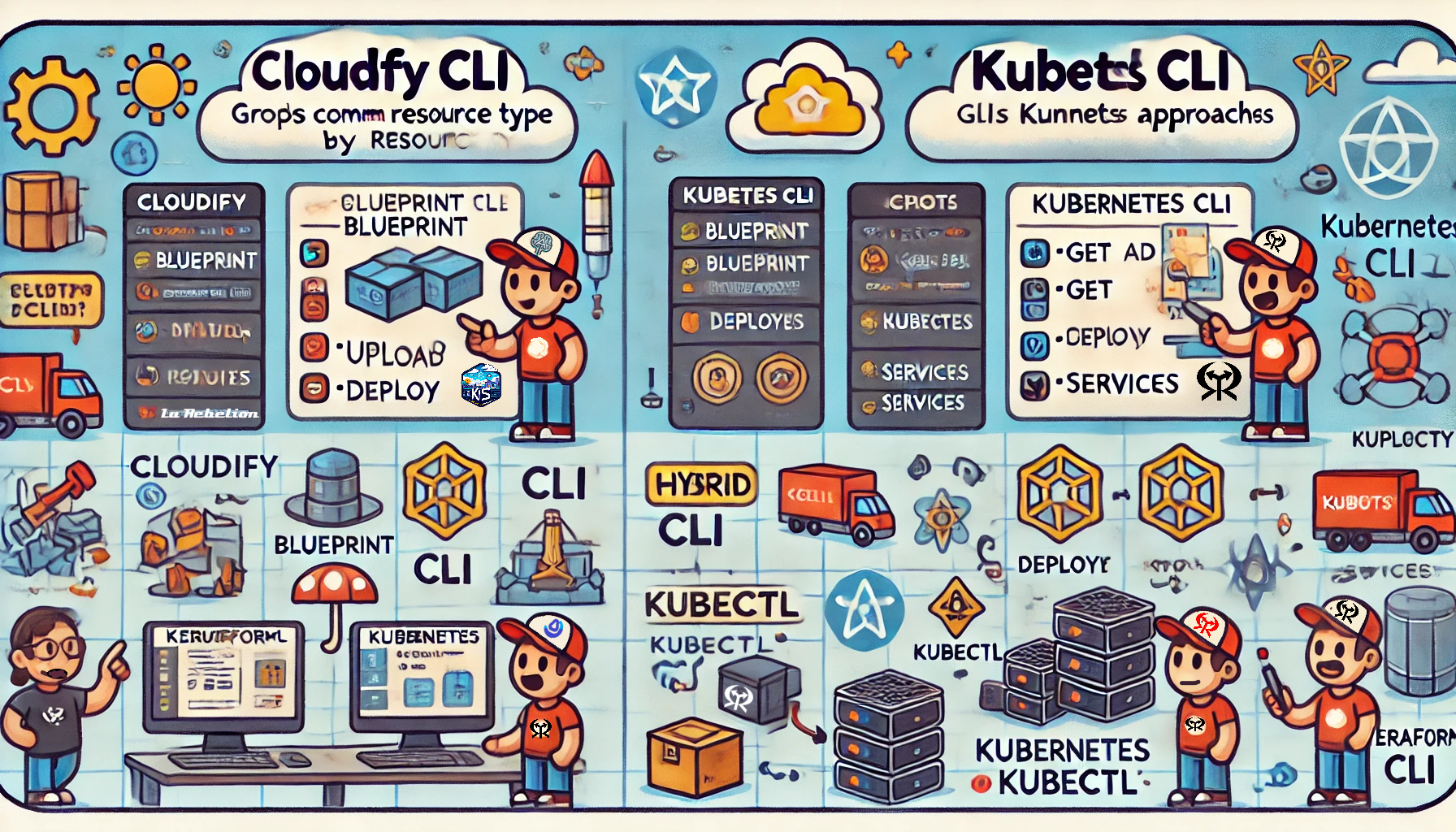
Learn how to structure your CLI for seamless API integration, efficiency, and better user experience—whether following Kubernetes’ action-first model, ArgoCD’s resource-first approach, or a hybrid like Docker’s CLI.
Command-line interfaces (CLIs) are the backbone of DevOps workflows. However, not all CLIs are built the same. Some group commands by resource type, like Cloudify's cfy, while others, like Kubernetes' kubectl, group commands by action (or verb: get, delete).

If you are a DevOps engineer, and you are building a CLI to automate your workflows or you are a user of a CLI and you are wondering why some commands are grouped by resource type and others by action, you might be wondering:
Which approach is better? Why do some tools favor one over the other? And how does this impact usability and automation? In this post, we'll break down the differences, explore a hybrid approach, and discuss how I applied these principles in designing my CLIs for the "La Rebelion" community: gyat, hapi, and agentico.
Grouping by Resource Type (Cloudify CLI Style)
Cloudify's cfy CLI organizes commands based on what you are working with.
Example:
cfy blueprint upload my-blueprint.yaml
cfy deployment create my-deployment
cfy execution start -d my-deployment
Here, the blueprints, deployments, and executions are first-class citizens, and all related actions are nested under their resource type.
✅ Pros:
-
Intuitive for users who think in terms of domain objects.
-
Reduces ambiguity when working with complex resources.
-
It is more straightforward to document and organize.
❌ Cons:
-
It can be verbose, requiring more typing.
-
Users must remember different command structures for each resource type.
-
It is harder to generalize across different resource types.
Grouping by Action (Kubernetes CLI Style)
Kubernetes' kubectl CLI flips the approach—users start with what they want to do, followed by the resource type.
Example:
kubectl get pods
kubectl delete service my-service
kubectl apply -f deployment.yaml
The focus here is on the actions (get, delete, apply), which are reusable across many resource types.
✅ Pros:
-
More consistent and predictable across different resource types.
-
Easier for automation and scripting.
-
Reduces cognitive load since users only need to remember actions, not different resource structures.
❌ Cons:
-
It may feel unnatural to those used to object-oriented workflows.
-
Resource types must be specified explicitly every time.
-
Some commands can become longer and harder to read.
Hybrid Approach: Terraform CLI Style
Terraform uses a hybrid approach, mixing action-first and resource-first paradigms.
Example:
terraform apply
terraform state list
In the example, terraform apply is action-first, while terraform state list is more resource-focused.
This approach provides flexibility, allowing users to interact with high-level actions and granular resources. It's ideal for tools that have a mix of static and dynamic resources.
Why Choose One Approach Over the Other?

The choice between these approaches depends on your tool's use case, target audience, and design goals. Here are some factors to consider:
-
Resource Nature: A resource-first approach (
cfystyle) is intuitive if your tool deals with well-defined domain objects. If it works with dynamic or API-driven resources, an action-first approach (kubectlstyle) keeps things predictable. -
User Experience: Consider how users will interact with your tool. If they think in terms of objects, a resource-first approach is better. If they think about actions, an action-first approach is more suitable.
-
Automation: If your tool needs to be easily scriptable, an action-first approach (
kubectlstyle) is more flexible. -
Complexity: A hybrid approach (
terraformstyle) offers the best of both worlds for tools with a mix of static and dynamic resources.
Examples of CLI Design Patterns in Action
Based on their command structure, here's a classification of popular CLI tools in the Cloud (CNCF) and DevOps space.
| CLI Tool | Approach | Example Command | Notes |
|---|---|---|---|
| cfy | Resource-Type-First | cfy blueprint upload | Cloudify groups command by resource type (blueprint, deployment, etc.). |
| openstack | Resource-Type-First | openstack server create | Organizes commands by resource type (server, network, etc.). |
| vault | Resource-Type-First | vault secrets enable | Commands are grouped by resource type (secrets, policy, auth). |
| argocd | Resource-Type-First | argocd app create | Commands are prefixed with a general resource (app, repo, cluster). |
| aws | Resource-Type-First | aws s3 ls | Commands are grouped by service (s3, ec2, iam) before performing actions. |
| tkn | Resource-Type-First | tkn pipeline start | Tekton emphasizes resource types (pipeline, task, taskrun). |
| kubectl | Action-First | kubectl get pods | Kubernetes CLI groups by actions (get, apply, delete, etc.). |
| helm | Action-First | helm install myapp | Helm focuses on actions (install, upgrade, uninstall). |
| flux | Action-First | flux bootstrap github | Primarily action-driven for GitOps workflows. |
| docker | Hybrid | docker run nginx | For "common commands" like run, pull, login, it uses an action-first approach, it "hides" the resource type (container, image). For more complex commands, it uses a resource-first approach. |
| pulumi | Hybrid | pulumi up | Uses both action-first (up, destroy) and resource-first (stack, config) approaches. |
| terraform | Hybrid | terraform apply | Mixes both approaches; core commands like apply and plan are action-based, but subcommands like terraform state are resource-oriented. |
This should give a solid overview of how different cloud and DevOps CLIs structure their commands and give you a good idea of which approach to use for your tooling.
Comparing CLI Design Patterns 🔍

Let's compare these approaches side by side:
| Criteria | Action-Resource (kubectl style) | Resource-Action (cfy style) | Hybrid (terraform style) |
|---|---|---|---|
| Consistency | High 🟢 | Medium 🟡 | Medium 🟡 |
| Predictability | High 🟢 | Medium 🟡 | Medium 🟡 |
| Ease of Automation | High 🟢 | Medium 🟡 | High 🟢 |
| Cognitive Load | Low 🔴 | Medium 🟡 | Medium 🟡 |
| Flexibility | Medium 🟡 | Low 🔴 | High 🟢 |
| Intuitiveness | Medium 🟡 | High 🟢 | Medium 🟡 |
| Documentation | Medium 🟡 | High 🟢 | Medium 🟡 |
| Implementation (Ease) | Low 🔴 | High 🟢 | Medium 🟡 |
| Use Cases | APIs, dynamic resources | Domain objects, static resources | Mixed resources |
| Examples | kubectl, helm | cfy, openstack | terraform, docker |
The table above provides a quick overview of each approach's pros and cons. The best choice depends on your specific use case and user base, but understanding these trade-offs can help you make an informed decision.
The action-resource approach (kubectl style) is more complex to implement, document, and organize but more consistent and predictable across different resource types. The resource-action approach (cfy style) is more intuitive for users who think in terms of domain objects, but it can be harder to generalize across different resource types. The hybrid approach (terraform style) provides flexibility, allowing users to interact with high-level actions and granular resources.
Tree-like Representation of the Commands
Here’s a tree-like representation of the command structures for kubectl (action-first), cfy (resource-type-first), and argocd (hybrid) using a Linux command-style layout:
Action-First command structure
kubectl
├── get
│   ├── pods
│   ├── services
│   ├── deployments
│   ├── nodes
│   └── configmap
├── describe
│   ├── pod mypod
│   ├── service myservice
│   ├── deployment mydeployment
│   └── node mynode
├── apply
│   ├── -f myapp.yaml
│   ├── -f service.yaml
│   └── -f ingress.yaml
├── delete
│   ├── pod mypod
│   ├── service myservice
│   ├── deployment mydeployment
│   └── namespace mynamespace
└── logs
    ├── pod/mypod
    └── deployment/mydeployment
Resource-Type-First command structure
cfy
├── blueprint
│   ├── upload myblueprint.yaml
│   ├── delete myblueprint
│   └── list
├── deployment
│   ├── create mydeployment -b myblueprint
│   ├── delete mydeployment
│   ├── outputs mydeployment
│   └── list
├── execution
│   ├── start myworkflow -d mydeployment
│   ├── cancel myexecution
│   ├── list
│   └── resume myexecution
└── tenant
    ├── create mytenant
    ├── delete mytenant
    ├── list
    └── set-default mytenant
Hybrid Approach command structure
docker
├── # Action-First Commands (Hides Resource Type)
│   ├── run nginx
│   ├── pull nginx:latest
│   ├── push myrepo/myimage:v1
│   ├── login myregistry.com
│   ├── logout myregistry.com
│   ├── search nginx
│   ├── build -t myimage .
│   ├── tag myimage myrepo/myimage:v1
│   ├── inspect mycontainer
│   └── exec -it mycontainer bash
│
├── # Resource-First Commands (Explicit Resource Type)
│   ├── container
│   │   ├── ls
│   │   ├── start mycontainer
│   │   ├── stop mycontainer
│   │   ├── rm mycontainer
│   │   ├── inspect mycontainer
│   │   └── logs mycontainer
│   │
│   ├── image
│   │   ├── ls
│   │   ├── prune
│   │   ├── rm myimage
│   │   ├── save -o myimage.tar myimage
│   │   ├── load -i myimage.tar
│   │   └── history myimage
│   │
│   ├── network
│   │   ├── ls
│   │   ├── create mynetwork
│   │   ├── connect mynetwork mycontainer
│   │   ├── disconnect mynetwork mycontainer
│   │   └── rm mynetwork
│   │
│   ├── volume
│   │   ├── ls
│   │   ├── create myvolume
│   │   ├── rm myvolume
│   │   └── inspect myvolume
│   │
│   ├── compose
│   │   ├── up -d
│   │   ├── down
│   │   ├── logs
│   │   ├── ps
│   │   └── restart
│   │
└── # System Commands
    ├── system prune
    ├── system df
    ├── version
    └── info
Key Takeaways
-
kubectl (Action-First): Commands start with verbs (
get,apply,delete) and then specify the resource. -
cfy (Resource-Type-First): Commands start with the resource type (
blueprint,deployment,execution), followed by actions. -
docker (Hybrid): A mix—some commands are resource-type-first (
container,image,network,volume), while others follow an action-first structure (run,pull,build,tag,login).
This tree representation helps visualize how commands are structured and grouped in each CLI.
Look at the tree representation of the Action-First command structure for the kubectl command. Do you see any pattern? Yes! It is a structure with verbs as the root nodes and resources as the leaf nodes, similar to Swagger API specifications' verb-object structure.
API-First to CLI Commands Mapping
API-first design is widely used for creating CLIs, particularly for tools that interact with APIs. This approach involves directly linking CLI commands to API endpoints, facilitating the automation and scripting of workflows. Both action-first and resource-first CLIs can adapt this strategy to their command structures.
Action-First Mapping
For simplicity (because the Kubernetes and Cloudify APIs are huge), let's take the Petstore API (or Petstore v2) as an example and map it to the kubectl CLI style based on the HTTP verb-object structure of the API to the action-resource structure of the kubectl CLI, we get the following command structure:
GET     /pets
POST    /pets
GET     /pets/{petId}
PUT     /pets/{petId}
DELETE  /pets/{petId}

GET     /orders
POST    /orders
GET     /orders/{orderId}
DELETE  /orders/{orderId}

GET     /users
POST    /users
GET     /users/{username}
PUT     /users/{username}
DELETE  /users/{username}
Just replace pets with kubectl get pets or kubectl get pets 10, orders with kubectl get orders, and users with kubectl get users.
Resource-First Mapping
On the other hand, if we map the resource-action structure of the cfy CLI to the verb-object structure of Swagger API specifications, we get the following command structure:
openapi: 3.0.0
# ...
paths:
  /pets:
    get:
      # ...
    post:
      # ...
  /pets/{petId}:
    get:
      # ...
    put:
      # ...
    delete:
      # ...
  /orders:
    get:
      # ...
    post:
      # ...
  /users:
    get:
      # ...
    post:
      # ...
Just replace pets with cfy pets list, orders with cfy orders list, and users with cfy users list.
Takeaways from the Mapping
-
Action-First Mapping: The HTTP verb-object structure of the API maps directly to the action-resource structure of the CLI.
-
Resource-First Mapping: The paths structure of the API maps directly to the resource-action structure of the CLI.
This mapping helps visualize how API-first design can be applied to action- and resource-first CLIs.
👨🏽💻 How I Applied These CLI Design Patterns
When designing gyat (Go-through-your-API-tool), hapi (Headless-API), and agentico, I had to choose between the action-resource (kubectl style) and resource-action (cfy style) approaches based on the nature of the resources and the target audience. Here's how I made my decisions:
| CLI Tool | Approach | Why? |
|---|---|---|
hapi | Action-Resource (kubectl style) | The resource types are dynamic and change based on the Swagger API spec. Users need consistency across various APIs. |
gyat | Action-Resource (kubectl style) | The resource types are dynamic and change based on the Swagger API spec. Users need consistency across various APIs. |
agentico | Resource-Action (cfy style) | The resource types are static and well-defined by the Model Context Protocol (MCP). Grouping by resource makes navigation easier. |
This decision aligns with how users interact with each tool. In gyat, users frequently deal with unknown APIs, so an action-first structure keeps things predictable. In agentico, users work with well-defined domain objects, making a resource-first approach more intuitive.
Final Thoughts: Choosing the Right CLI Style
So, which approach is best?

The answer depends on the nature of the tool:
-
If your CLI works with fixed resources, a resource-type-first approach (like
cfy) makes sense. -
an action-first approach (like
kubectl) is better if your CLI needs to handle dynamic or API-driven resources. -
a hybrid approach (like
terraform) might be ideal if your tool requires high-level operations and granular control.
Understanding these design principles helps create CLIs that are intuitive, scalable, and efficient. What's your take on CLI design? Have you encountered a CLI that does things differently? Let me know in the comments!
If you want to learn more about what libraries and tools I use to build these CLIs, let me know in the comments, and I will write a follow-up post. 📝
Until next time, happy coding, and never stop learning and challenging the status quo!
Go Rebels! ✊🏼